















MIXING

AVIOM MIXING

A320 Personal Mixer
A640 Personal Mixer
Aviom's Personal Mixers are the worldwide industry-standard for personal mixing on stage and in the studio. The A640, Aviom’s new flagship personal mixer, brings an unparalleled level of control, performance, and fidelity to personal mixing that exemplifies Aviom’s core brand sensibilities.
With more mix channels, powerful features, and an intuitive, streamlined user-interface, the A640 helps musicians hear better than ever before. It's compatible with all existing Aviom systems using Dante networking, digital console cards, or analog inputs, and can be used simultaneously with the A360, A320 and/or A-16II Personal Mixers.
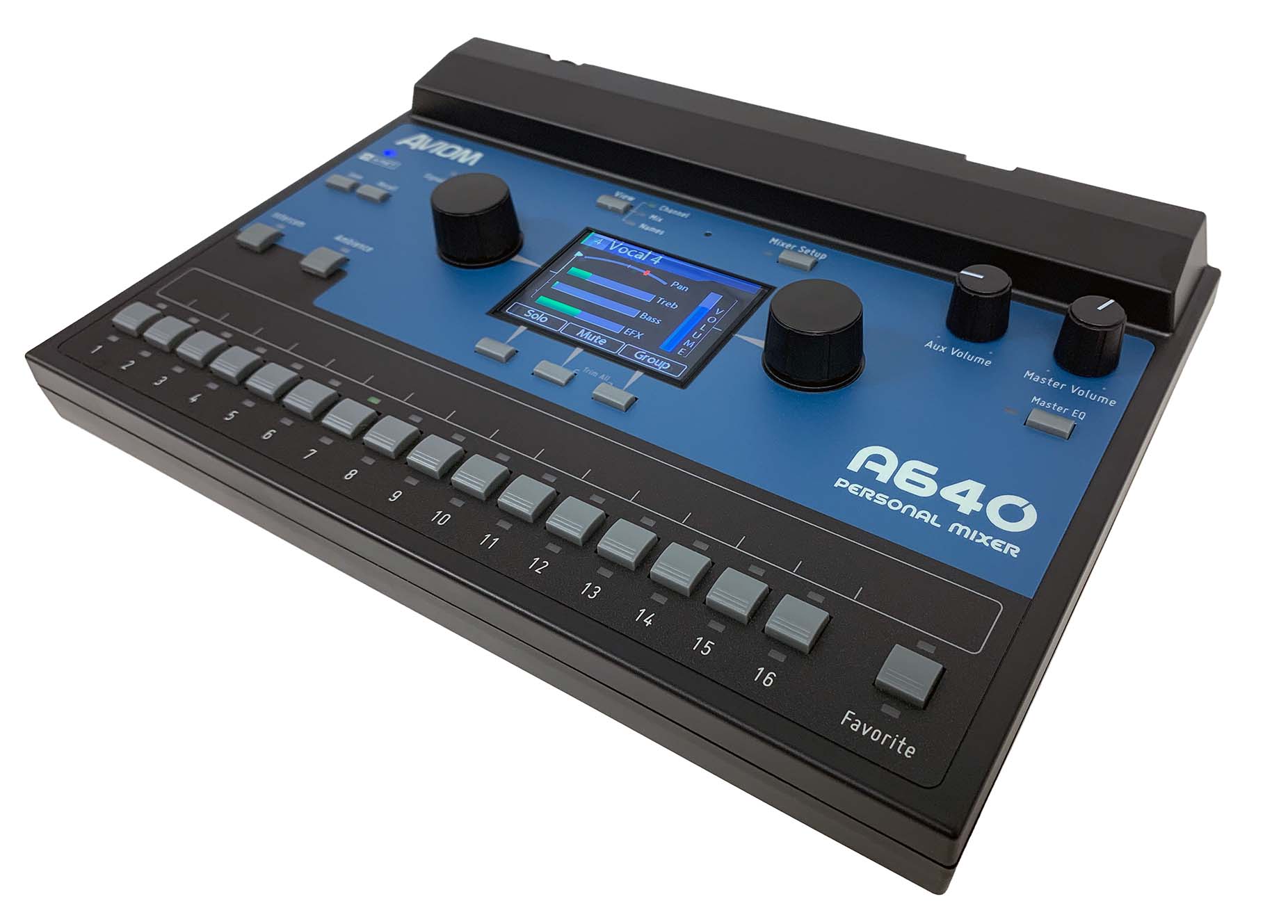
- Intuitive user interface featuring high-res color multi-mix-view display
- Customizable channel selection from up to 64 network channels
- 36-channel mix engine for up to 18 mono or stereo sources
- Per-channel volume, treble, bass, reverb, and pan plus Master EQ with Enhance
- One-Touch Ambience™ using network audio or the internal mic
- Intercom for communicating with other A640 users
- Favorite Channel holds each musician's most important channel
- USB for easy archiving and loading custom mixer configurations
- 1/4" and 1/8" stereo mix out plus XLR mono Aux mix out
- Support for Network Mix Back™ (requires a D800)
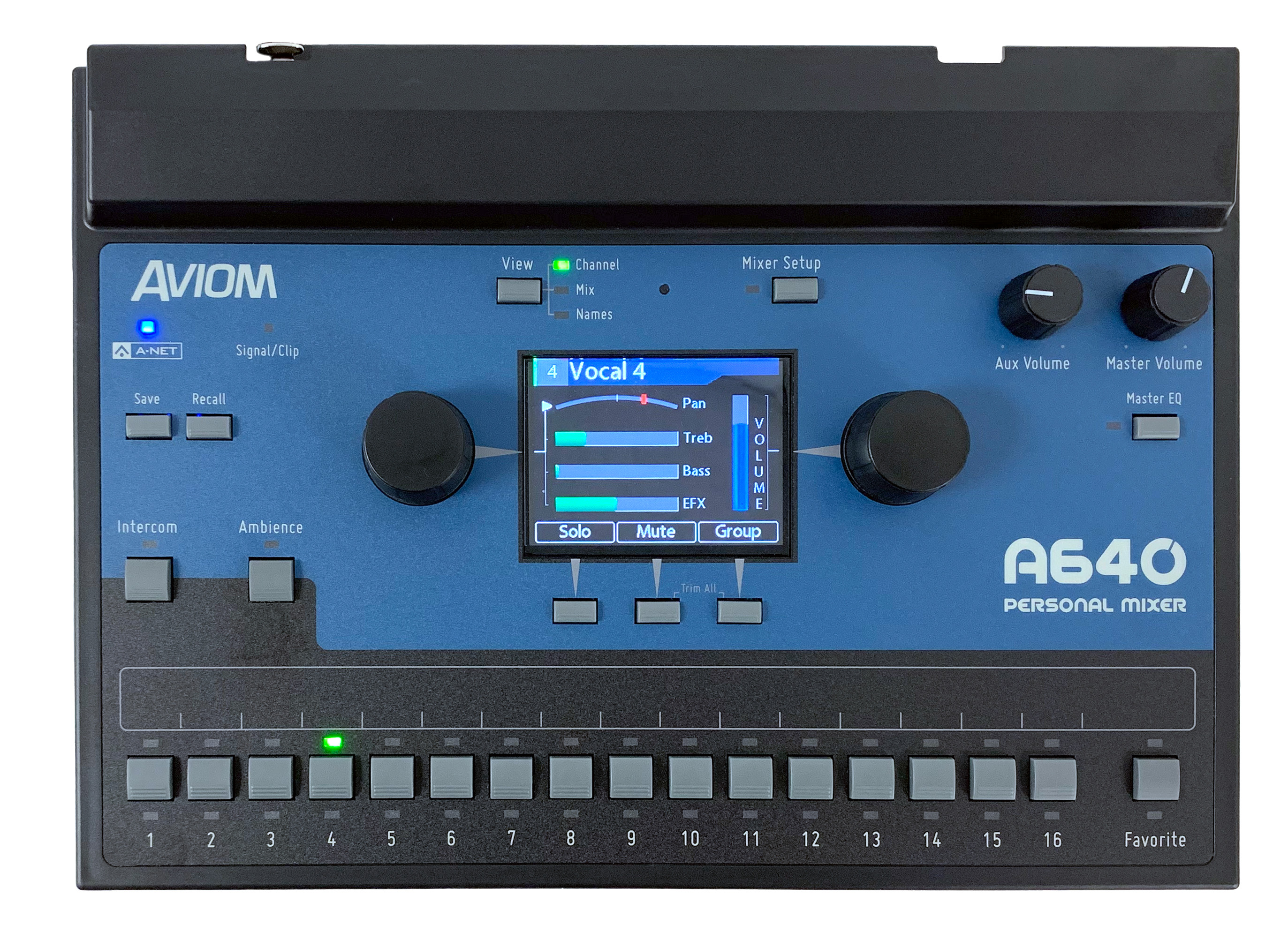
Mixing power that's easy to use
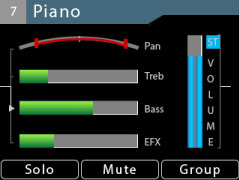
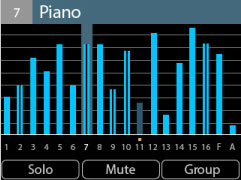
The A640 Personal Mixer combines a powerful mix engine with an intuitive user interface that doesn't get in your way while performing. The A640's color hi-res display has three Mix Views showing you all the details about your mix without sacrificing editing simplicity. Switch between them at any time with the dedicated View button.
Channel View provides detail about an individual channel's settings (volume, pan, treble, bass, and effects). The Mix View shows the volume level of every channel in your mix, and the Names View displays each channel by name along with its volume level. Editing is easy, even while you're focused on singing and playing.
You can create custom names for each channel, or sync them to channel names coming from a Dante network when using the D800-Dante A-Net Distributor.
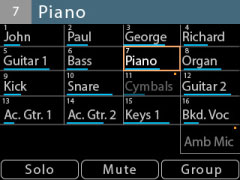
Choose exactly the channels you need
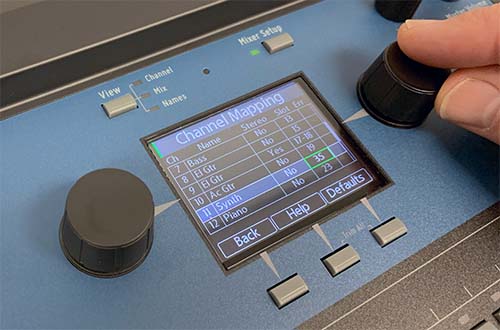
Under the hood, the A640 has all the power you need, so you don't have to make compromises in your mix.
Every user can select exactly the sources they want in their mix—from up to 64 network input sources—so drummers can have lots of drum channels and vocalists can have lots of vocal channels.
The built-in Channel Mapping function makes the A640 Personal Mixer easy to set up and customize to suit your performance needs.
Stereo on every channel
Each channel button on the A640 can hold a stereo source, so every input can be heard in full stereo fidelity without taking up additional space on the mixer. This ensures that every channel sounds its best, improving the fidelity of the overall monitor mix as well, and frees up space for more mix content—without adding more complexity for the musician.
Aviom’s unique stereo pan adds positional information to a stereo signal while preserving its stereo image; and on the A640, placing a stereo signal anywhere in your stereo field is accomplished effortlessly with a single control!
Get to your favorite channel faster
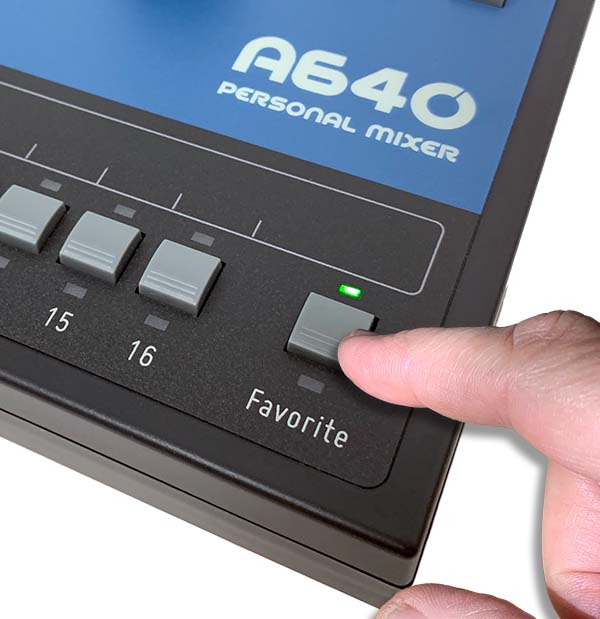
The A640's Favorite channel reserves prime real estate for each performer's most important channel, so you don't have to spend even a beat looking for it.
Simply hold the Favorite button and tap any mix channel to assign your personal favorite. It's super convenient for singers, guitarists, and horn players. In custom layout mode, your favorite channel can have its own unique content.
Get more out of your in-ears
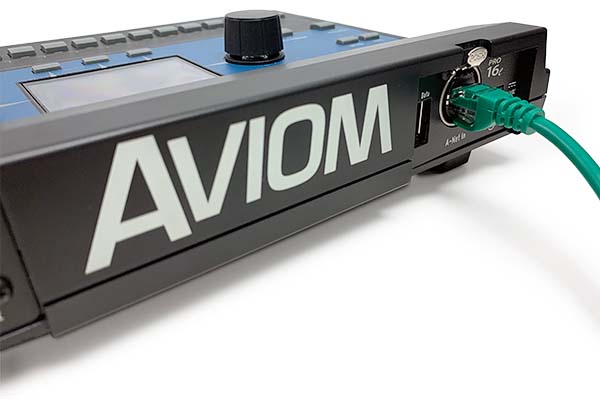
The reality for many musicians is that the switch from a wedge to in-ears can be disappointing. The A640 Personal Mixer can change all that.
Designed from top to bottom with in-ear monitors in mind, the A640 gives musicians the controls they need to make their in-ears sound better than ever.
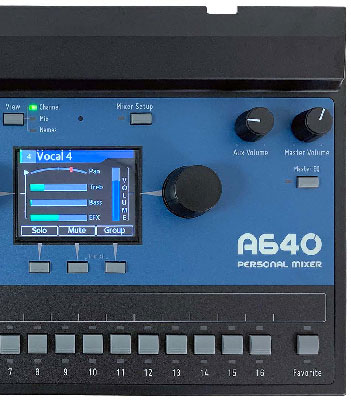
Make it sound great
The EQ curves for the master tone controls on the A640 were designed specifically for the sonic characteristics of in-ear monitors. The A640's master Bass, Treble, and Enhance™ controls will make your in-ear monitors sound fantastic no matter what kind of music you play.
Add space to your ears
The A640's per-channel reverb control lets you easily restore some of the spaciousness your ears naturally expect.
With high-resolution panning for mono channels and variable pan control for stereo channels, every source can be positioned precisely in the mix's stereo field, reducing musicians' sense of isolation and improving the clarity of the entire mix.
Connect with other performers
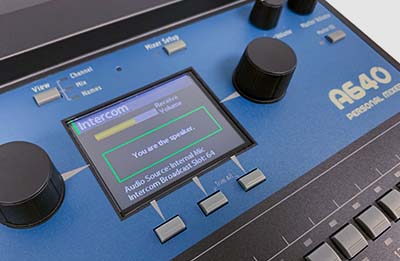
When you need to communicate with other A640 users, the Intercom feature is the perfect tool. With the press of a button a musical director can make song changes, direct performers, etc., all without the audience hearing it (requires the D800 A-Net Distributor).
You can use the A640's internal mic or one that is connected to the Aviom network. And each performer has control over the Intercom audio's level as part of their personal mix.
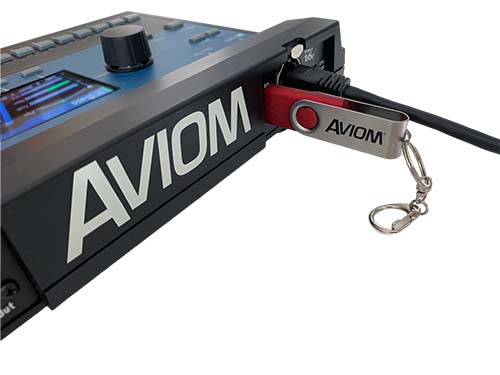
Take your mix with you
Save everything about your A640 Personal Mixer—mix settings, presets, channel assignments, names—to a USB thumb drive for backup or transferring settings to another unit. It's never been easier for multiple ensembles to share personal mixers, to recall cue mixes for a recording session, or for those on tour to be sure their mix settings are preserved from show to show, even if you're using rental gear.
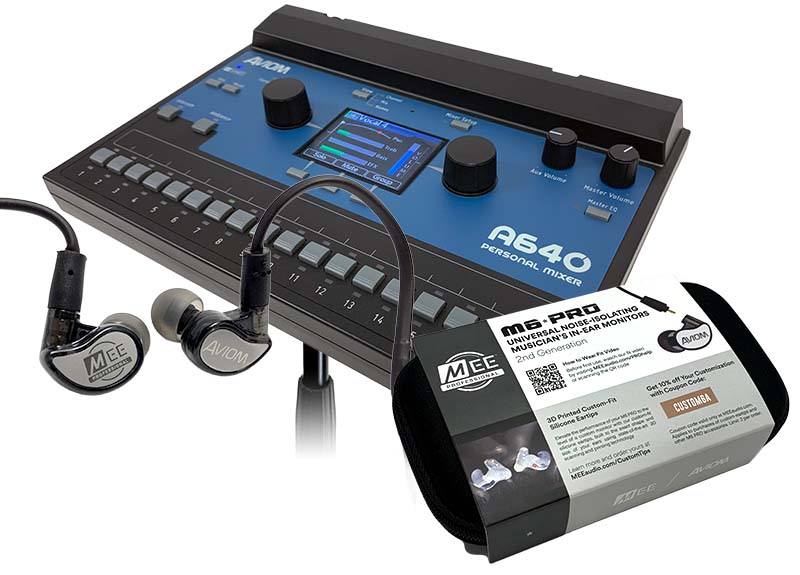
Need In-Ears? Get the Bundle!
The A640 Personal Mixer is also available in a bundle with a set of MEE Audio M6 Pro IEMs. These great sounding single-driver earbuds feature a detachable, replaceable cord and come with an assortment of flexible ear tips that reduce outside noise and allow you to easily find the most comfortable fit for your ears. Each set also includes custom-engraved metal faceplates and a protective case.
(Available only in the US)
Feel your mix
Send any combination of channels from your mix to the Mono Mix Out using the dedicated Aux Volume control and XLR connector.
Use the Aux Mix to add a tactile transducer (bass shaker) to your stage setup. Musicians can once again experience the tactile feedback they're used to when using a wedge monitor or guitar/bass speaker cabinet while still enjoying the clarity and convenience of in-ear monitors. Aviom makes it easy with the BOOM System.
Compatibility
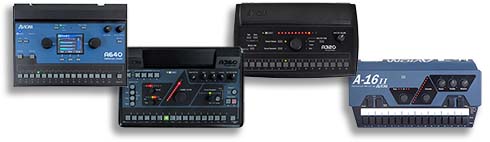
The A640 Personal Mixer is forward and backward compatible with most current and legacy Aviom Pro16 and Pro16e A-Net devices. This includes:
- AN-16/i v.2 Input Module
- Y1 Card for Yamaha MY devices
- A-Net Console cards from Aviom's development partners
- D400 & D400-Dante A-Net Distributors
- D800 & D800-Dante A-Net Distributors
Legacy Devices: - AN-16/i Input Module
- AN-16/i-M Mic Input Module
- A-16D A-Net Distributor
- A-16D Pro A-Net Distributor
The A640 may also be used in the same system with the A360, A320, and A-16II Personal Mixers.
Learn more about product compatibility with your existing system.
Product Resources
Press Release
Data Sheet
User Guide
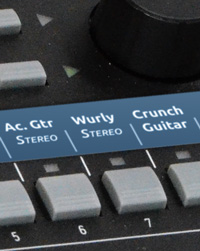
Label Strip Template
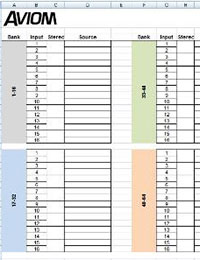
Input List Worksheet
Technical Specifications
| Audio Output | 1/4" TRS stereo, headphone or line level; 1/8" TRS stereo, headphone or line level; XLR balanced mono, line level |
|---|---|
| Stereo Mix Outputs, Headphone/Line | Tip: Audio Left; Ring: Audio Right; Sleeve: Ground |
| Mono Mix Output | Pin 2: Hot, Pin 3: Cold; Pin 1: Ground |
| A-Net | 1 A-Net In, locking RJ45 connector; Supports Power Over A-Net |
| D/A Conversion | 44.1/48kHz, 24-bit |
| Stereo Operation | Stereo Link, per mixer channel and A-Net channel pair Set at the input device; Variable pan per mono channel or pan/spread per stereo channel pair |
| USB Storage | Save/load mix configuration data and mixer presets; Firmware updates Requires USB compliant mass storage device, formatted for PC |
| Headphone Output | 1.0 watt at 100 ohms (Line/Headphone output) |
| Output Impedance | 32 ohms |
| Frequency Response | 2-22kHz +0.2dB/-3dB |
| THD+N | < 0.003% |
| Signal to Noise (unweighted) | -106dB (measured with zero data into all channels) |
| Latency | <0.680 msec (measured from analog input to analog output) |
| A-Net Cables | Use unshielded Cat-5e UTP (or better) cable; Maximum 400 ft (122 m) between devices; |
| Power Supply Input Voltage Plug Size |
Optional 24 VDC, 0.5 amp 2 mm |
| Dimensions | 10.76 in. (273.3mm) wide x 7.6 in. (193.04mm) deep; 2.212 in. (56.18mm) high |
| Weight | 2 lb (0.907 kg); packaged weight 3 lb. (1.36 kg) |
| Options | MT-1a Mic Stand Mount (uses 6-32 1/4-inch screws) EB-1 Extension Bracket PS-120/PS-240 Power Supply |
Product Images
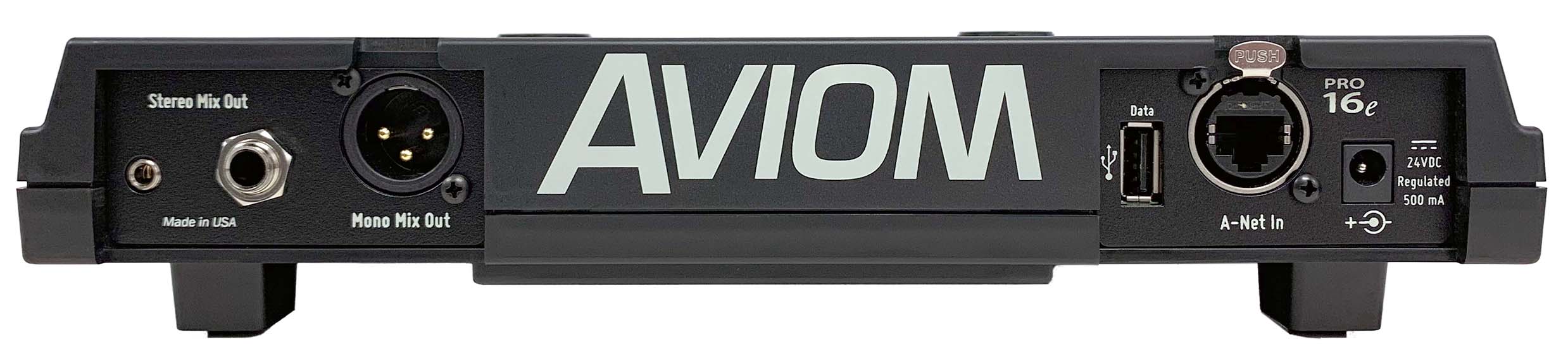
A640 Personal Mixer
The A640 Personal Mixer combines a powerful mix engine with an intuitive user interface with a built-in color hi-res display that doesn't get in your way while performing. It's the most flexible personal mixer we've ever offered.

A320 Personal Mixer
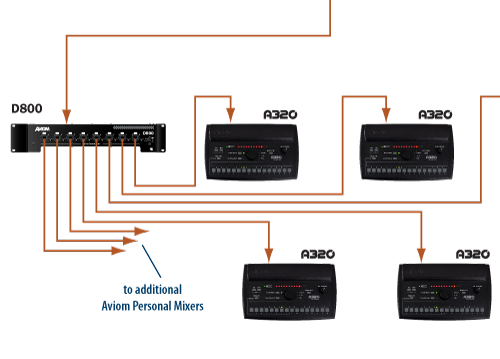
How it works
Whether you're adding to an existing Aviom personal mixing system or building a new one, getting up and running with the A320 is a breeze. For older systems, use the A320 in Pro16 mode, with 16 channels spread across the interface and stereo sources occupying adjacent channel buttons, like on the iconic A-16II Personal Mixer. For systems with more channels, switch the A320 into Pro16e mode to access the full power of its 32-channel mix engine which supports any combination of 16 mono or stereo sources.
In Depth
• A320 Modes: How to choose 16-Channel or 32-Channel operation
• How A320 Stereo Channels Work
• How To Label Your Personal Mixer
• Expanding beyond 16 inputs - a four-part series
Compatibility
The A320 Personal Mixer is forward and backward compatible with most Aviom Pro16 and Pro16e devices*. This includes:
- AN-16/i v.2 Input Module
- Y1 Card for Yamaha MY devices
- A-Net Console cards from Aviom's development partners
- D400 & D400-Dante A-Net Distributors
- D800 & D800-Dante A-Net Distributors
Legacy Devices: - AN-16/i Input Module
- AN-16/i-M Mic Input Module
- A-16D A-Net Distributor
- A-16D Pro A-Net Distributor
The A320 may also be used in the same system with the A640, A360, and A-16II Personal Mixers.
* The A320 Personal Mixer must be connected to an A-Net Distributor to operate. It does not support an external DC power supply.
Learn about product compatibility with your existing system.
Technical Specifications
| Audio Output | 1/4" TRS stereo, headphone or line level |
|---|---|
| Stereo Mix Output, Headphone/Line | Tip: Audio Left; Ring: Audio Right; Sleeve: Ground |
| A-Net I/O | 1 A-Net In, RJ45 connector; Supports Pro16 (16-channel) and Pro16e (32-channel) |
| D/A Conversion | 44.1/48kHz, 24-bit |
| Stereo Operation | Stereo Link, per channel pair; Set at the input module; Variable pan per mono channel or pan/spread per stereo channel pair |
| Headphone Output | 275 mW per side into 50 Ohms (both sides driven) |
| Output Impedance | 5 Ohms |
| Freq. Response | 3Hz-22kHz +0.2dB/-3dB at 50 Ohms |
| THD +N | < 0.003% |
| Output Voltage for Personal Mixers | 24VDC, 0.5 amp Transmitted over the Cat-5e cable |
| Signal to Noise (unweighted) |
-106dB (measured with zero data into all channels) |
| Latency | 0.880 msec (measured from analog input to analog output) |
| Pro16e A-Net | Use Cat-5e (or better) cable; Maximum 400 ft (122 m) between devices; Supports Power Over A-Net |
| Cat-5 cable | Use shielded Cat-5e (or better) cable to stay below the CISPR 22 Class B, ICES-003, and FCC 47 CFR Part 15 Class B emissions limits. |
| Power | 24 VDC, 0.5 amp; Power is supplied over the Cat-5 cable when connected to an Aviom A-Net Distributor (required) |
| Dimensions | 10.26" (260.6 mm) wide x 6.14" (155.95 mm) deep x 1.91" (48.51 mm) high |
| Weight | 1.3 lb. (0.59 kg) |
| Options | MT-1a Mic Stand Mount |
Product Images
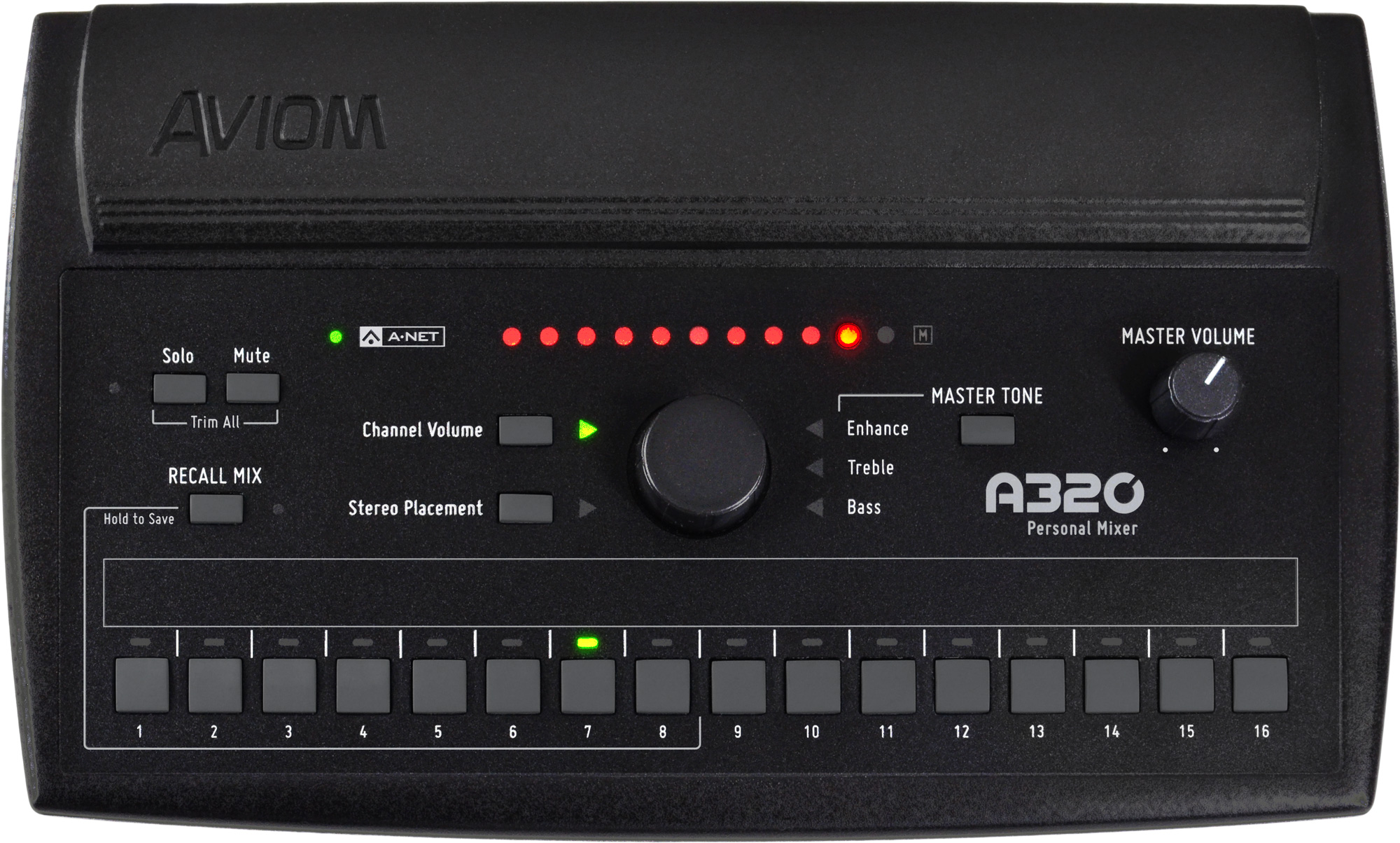

A320 Personal Mixer
The A320 Personal Mixer gives performing and recording musicians simple, intuitive control over their monitor mixes. The A320 gives musicians the ability to get clear, musical monitor mixes every time they play.
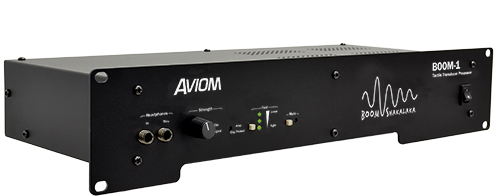
BOOM-1 Tactile Transducer Processor
Now you can feel your monitor mix, too. BOOM-1 is designed to dramatically enhance a performer's personal mixing experience by adding powerful, optimally-processed low-frequency tactile information to an in-ear or headphone monitor mix.
Designed by the personal monitor experts, it's easy to use and provides a natural low-frequency extension to your monitoring environment. The BOOM System products are compatible with all Aviom personal mixing systems.
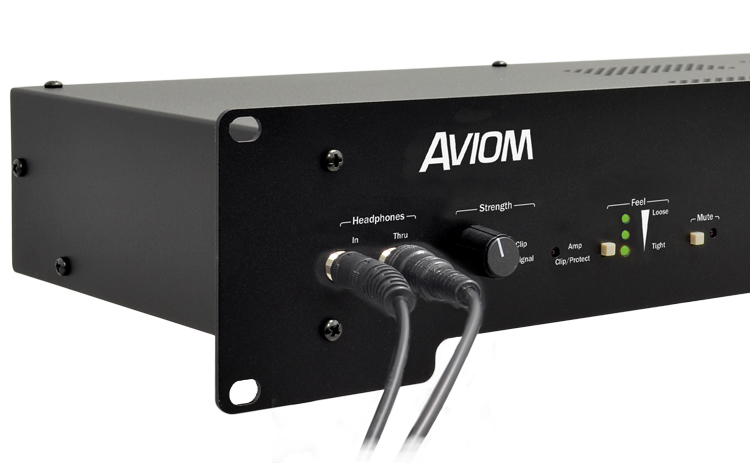
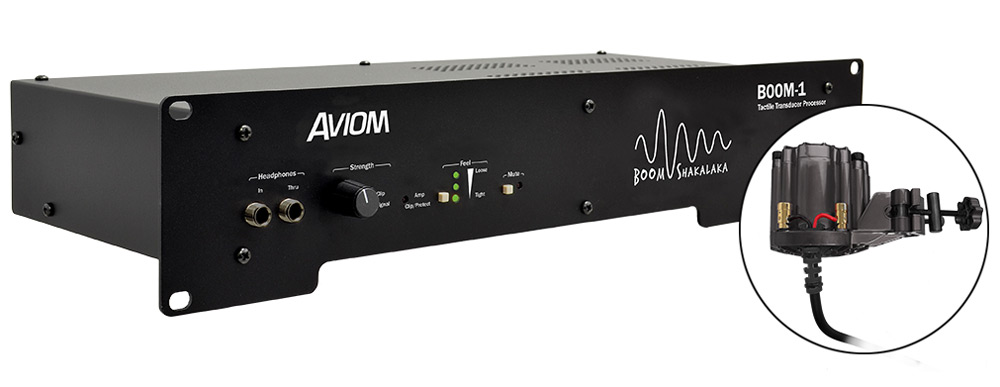
Front Panel
- 1/4-inch TRS Stereo Headphone In and Thru
- Strength control with Signal and Clip LED indicators
- Three selectable Feel presets control multiple DSP settings for user-preferred Tight to Loose feel
- Transducer Mute with LED (easily compare your mix with and without the tactile transducer engaged)
- Seamless integration with any personal mixing system
- Locking Transducer Out
- Custom tailor the response of the BOOM-1 to a variety of tactile transducers with the DSP Profile settings
- XLR mono input for direct connection to the A360 Personal Mixer
- XLR mono out provides the DSP processed signal for connection to an external power amplifier for driving large tactile transducer arrays
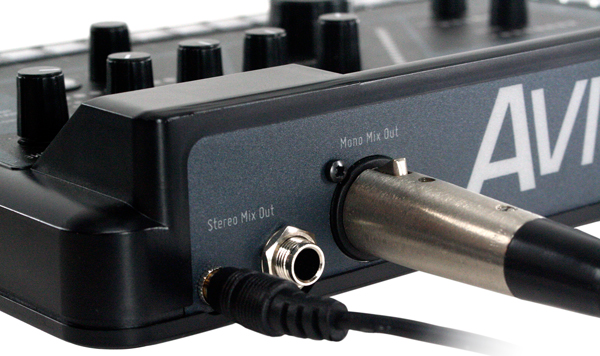
Made for musicians using in-ears
In-ear monitors provide a detailed and personal monitoring experience. Adding a well processed low-frequency tactile transducer (also known as a 'bass shaker') to a drum throne, keyboard seat, guitarist's stool, performance platform, or even to the floor of a stage, allows the body to feel bass frequencies, adding realism to the mix. The BOOM-1 Tactile Transducer Processor brings Aviom-optimized DSP to the tactile experience.
Being able to hear and feel your mix can significantly improve the user experience when using in-ear monitors and/or headphones, providing powerful sound usually achieved only with high volume and large, high quality speaker cabinets.
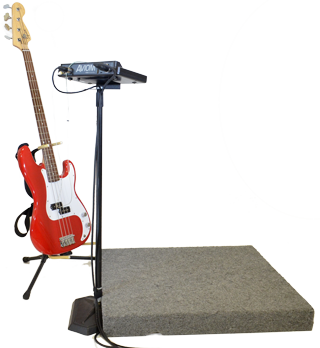
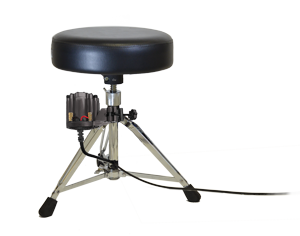
Tactile transducers are especially beneficial to those using electronic drum kits, as well as guitar and bass amp simulators. Why? Because playing an acoustic drum kit or an electric guitar or bass through an amp actually vibrates the floor and this vibration becomes part of the live performance experience. When you switch to an electronic drum kit or a modeled amp system without speaker cabinets, those natural vibrations are eliminated. ...Until now.
A Great Combination
Using personal mixers and IEMs/headphones along with tactile transducers allows performers to achieve powerful, exciting monitor mixes at lower in-ear levels. This reduces sound-level-induced fatigue allowing longer, more enjoyable performances while also promoting long-term hearing health.
BOOM System Accessories
Aviom makes adding tactile transducers to your monitoring system as easy as possible by providing a set of accessory products that are designed to be plug-and-play simple. We've partnered with some of the industry's leading manufacturers to offer tactile-enhanced versions of their products that can be directly connected to the BOOM-1 Tactile Transducer Processor.
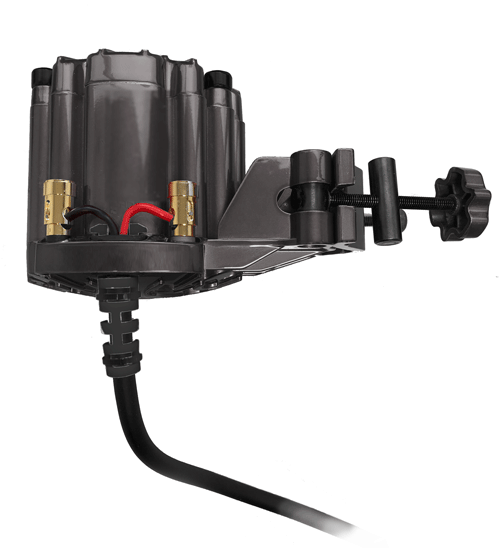
The CTT-1 Clamp-On Tactile Transducer has a universal mount that makes connecting a tactile transducer to the stem of most drum thrones or stools easy. At the heart of the CTT-1 is a premium ButtKicker® transducer, and an integrated locking speaker cable ensures a solid connection to the BOOM-1 processor.
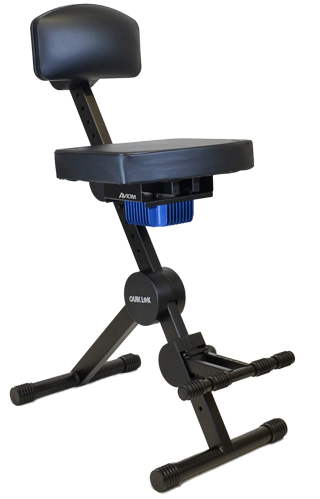
Aviom's PFS-1 Performance Stool combines a sturdy QuikLok® performance stool with a built-in tactile transducer system. The stool has an adjustable seat, back, and foot rest that allows it to be customized to suit any player. Simply connect the stool to the BOOM-1 using the included locking-type speaker cable.
The PLF-1 Platform, powered by ButtKicker®, is a portable performance platform that is the perfect solution for those performers—especially bass players, guitarists and vocalists—who stand on stage. The sturdy 28" x 32" (71 x 81cm) platform uses a premium ButtKicker tactile transducer and is designed with an opening in the front to allow convenient positioning of mic and music stands. Simply connect the platform to the BOOM-1 using the included locking-type speaker cable.
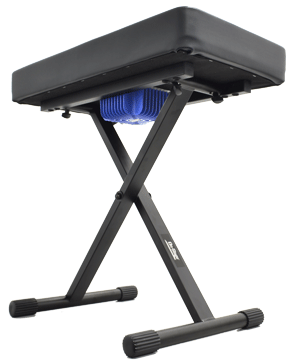
The KBS-1 is an adjustable On-Stage Stands® keyboard seat with an integrated tactile transducer system. Simply connect the seat to the BOOM-1 using the included locking-type speaker cable.
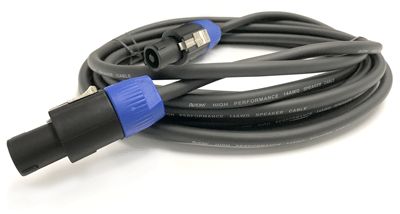
And if you need extra locking speaker cable, we have that, too. The SPK-5 is a 5-meter (16.4 feet), 14AWG heavy-duty cable with locking connectors.
New to Tactile Transducers?
A tactile transducer is similar in concept to a speaker (without the paper cone) and is designed to be most effective reproducing low frequencies like those produced in music by bass instruments and drums (typically 200Hz and below).
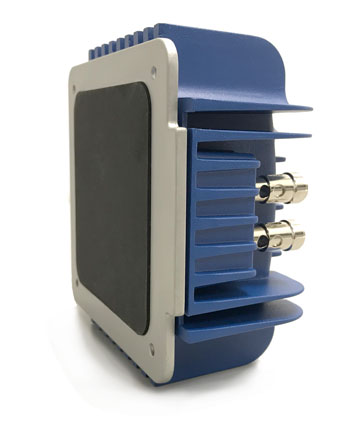
They are also quite effective when used for games and with sound effects for movies. But since a tactile transducer is designed without a speaker diaphragm, it can be used to allow you to feel low frequency vibrations while making very little audible sound.
That makes a tactile transducer a great addition to a personal mixing system when performers are using in-ear monitors. The frequency spectrum is more complete, and you'll be able to monitor at lower volumes while retaining all the fullness and excitement of performing at higher volumes.
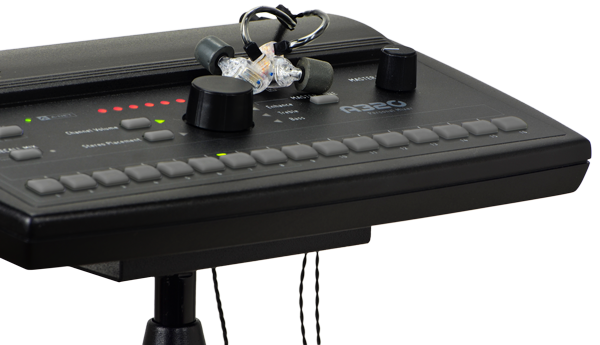
Personal Mixers + In‑Ears + BOOM
Compatible with Aviom's industry standard A360, A320, and all other Personal Mixers, the BOOM-1 can be connected easily to the line- or headphone-level audio outputs of a performer's Personal Mixer.
It's Simple To Set Up
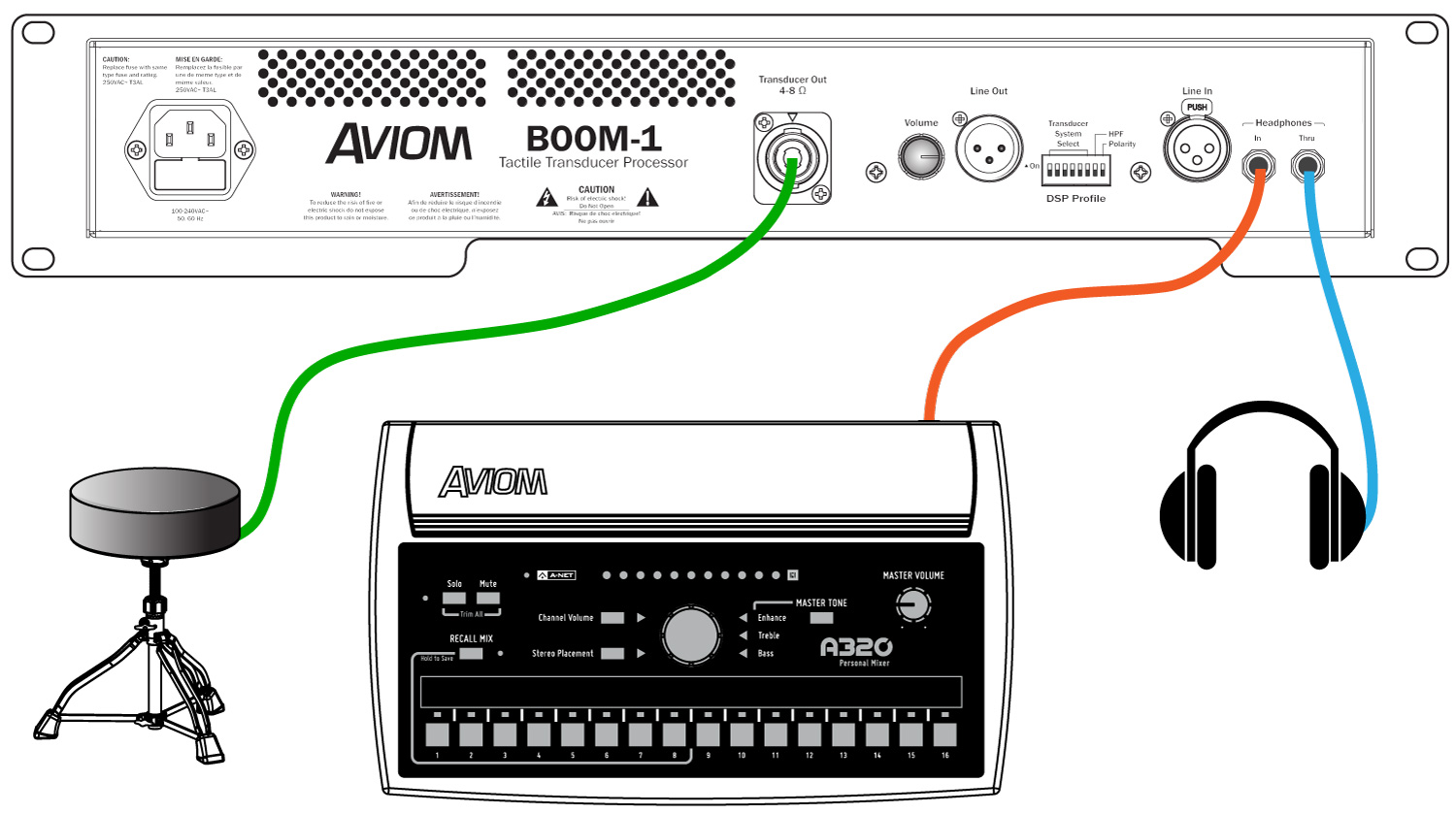
BOOM-1 can be added to any personal mixer. All that's required is a stereo headphone output or a dedicated mono line-level output. BOOM-1 takes care of the rest. Connecting BOOM-1 to your existing system is easy:
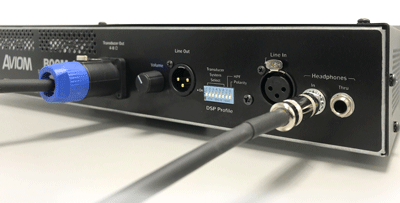
• Connect the TRS stereo headphone output from a Personal Mixer to the BOOM-1 Tactile Transducer Processor's headphone-level input.
• For A360 Personal Mixers there's even a dedicated XLR line-level input on the BOOM-1 rear panel. Just connect a standard mic cable from the the A360's Mono Mix Out jack instead of using the Headphone output.
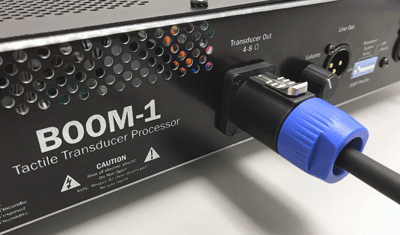
• Connect the Transducer Out to your tactile transducer using a locking-style speaker cable.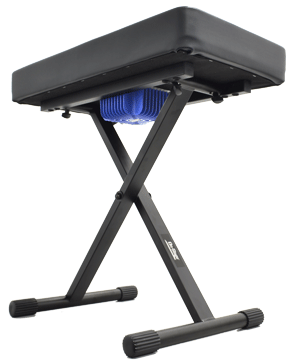
That's it; connect your earbuds or headphones and you're ready to start mixing. The Strength setting controls how much of the source signal from your mix is sent to the tactile transducer. Use the Feel control to choose an optimized DSP setting from Tight to Loose that best suites you and your music.
Setup
The examples below show various Personal Mixers connected to the BOOM-1 Tactile Transducer Processor. The system diagrams use a drum throne as an example, but you can use any tactile transducer equipped seat, stool, performance platform, or stage instead. The connections between the BOOM-1 processor and transducer input are the same.


Technical Specifications
BOOM-1 Specifications
| Headphone In (front & rear) | 1/4-inch TRS stereo; Tip: Audio Left; Ring: Audio Right; Sleeve: Ground |
|---|---|
| Headphone Thru (front & rear) | 1/4-inch TRS stereo; Tip: Audio Left; Ring: Audio Right; Sleeve: Ground |
| Line In | XLR female, Pin 2: Hot, Pin 3: Cold; Pin 1: Ground |
| Maximum Input Level | 15.98 dBV |
| Input Impedance | 9.5k Ohm |
| Line Out | XLR balanced; mono; with Volume control |
| Maximum Output Level | 12.55 dBV |
| Output Impedance | 33.2 Ohms |
| Amplifier Output | 4 Ohms - 210W 8 Ohms - 117W |
| Transducer Output | 2-conductor locking speaker connector; |
| Power Supply | Internal, universal switching type, IEC connector; 100-240 volts AC, 50/60Hz |
| Fuse | 250VAC~ T3AL |
| Dimensions | 19" (482.6 mm) wide x 8.62" (219.07 mm) deep; 2U, 3.5" (88.9 mm) high |
| Weight | 6.0 lbs (2.72 kg) |
BOOM-1 Tactile Transducer Processor

D800 & D800-Dante
D800 & D800-Dante
A-Net Distributors
The D800 and D800-Dante A-Net Distributors provide the link between the input module or console card and the Personal Mixers, providing power and a copy of the digital audio stream to your Aviom Personal Mixers, utilizing standard Cat-5e cables.
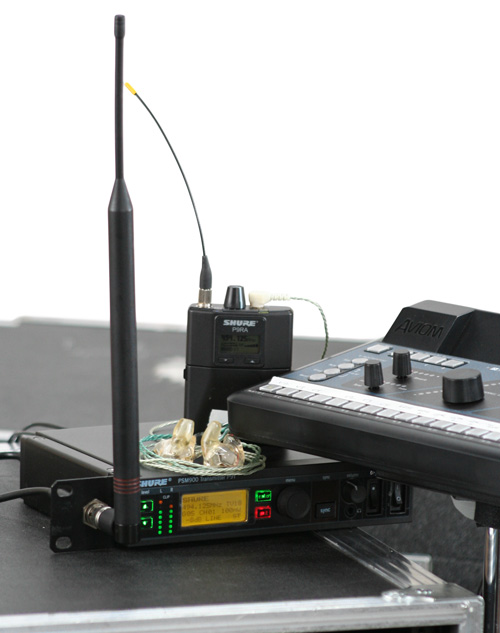
Both units also integrate additional advanced options for delivering high-channel-count audio streams to your Personal Mixers, streamlining connections between A360s and transmitters for wireless in-ear monitors, and integrating the A360 Display iOS app.
The D800 and D800-Dante can be used with A-16II, A320, and A360 Personal Mixers in any combination.
Simple setup. Powerful performance.
On the most basic level, the D800 and the D800-Dante do an unglamorous but important job: get power and audio to your Personal Mixers. Set-up is a breeze, with no IP addressing, routing, or switch managing to worry about, so you can get set up and start mixing in no time, without a lot of hassle.


Get more channels to your mixers
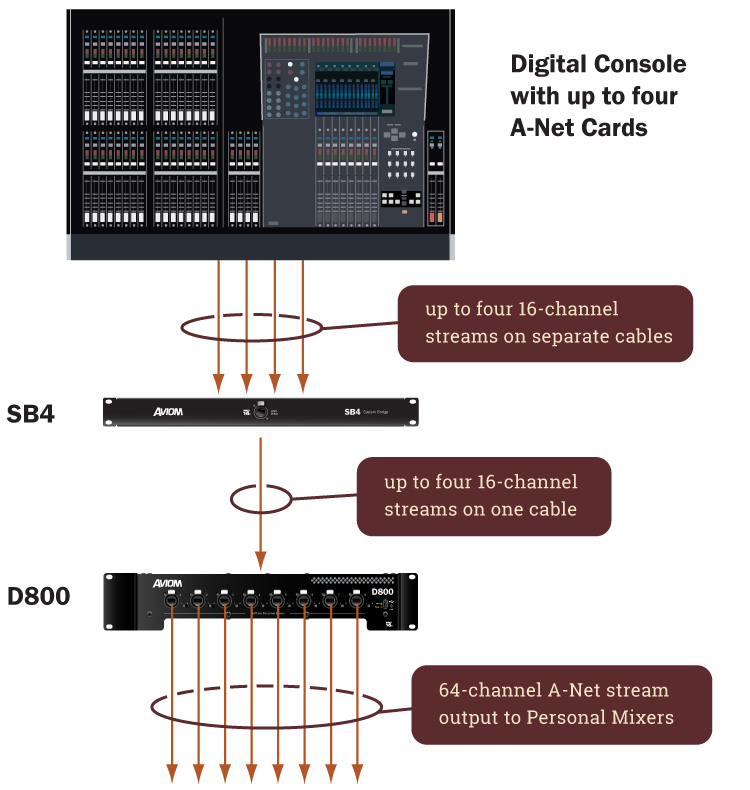
Used in conjunction with the SB4 System Bridge and Pro16 A-Net console cards (such as the Y1 A-Net Card for Yamaha®), the D800 and D800-Dante can combine up to four 16-channel A-Net streams for sending up to 64 channels directly from your digital console to your Aviom Personal Mixers. Mix channels can be individually selected for each A360 Personal Mixer using A360 Channel Manager, allowing each musician to mix exactly the sources they need.

Connect directly to Dante
If your audio system includes a Dante™ audio network, the D800-Dante can interface directly to the network. Assign up to 64 channels from Dante to the D800-Dante for distribution to the Aviom Personal Mixers. Mix channels can be individually selected for each A360 using A360 Channel Manager. Rear-panel DIP switches are used to set the stereo links for channels going to the Personal Mixers. Use the Dante Controller Mac/PC software application for channel routing.
Dante Sample Rates Up to 192kHz
With the D800-Dante, you can run your Dante network at 44.1/48kHz, 88.2/96kHz, or 176.4/192kHz. At higher sample rates, the D800-Dante converts the audio data to 48kHz for distribution to the Aviom Personal Mixers (and other A-Net devices).
Grow your system
If you need more than eight Personal Mixers, both the D800 and the D800-Dante include an A-Net Out port on the rear panel—perfect for sending the incoming audio stream (regardless of its original source) on to additional A-Net Distributors. Learn more about expanding your system.
Precision Engineered for Reliability
From the innovative power supply sub-system to the mechanical design to the whisper-quiet thermal management, the D800 and D800-Dante are built to give you rock-solid performance you can count on.
Network Mix Back for wireless in-ears
If you're using A360 Personal Mixers, the D800 and D800-Dante eliminate the need for running analog cables from A360s to the transmitter units for the in-ear monitors.
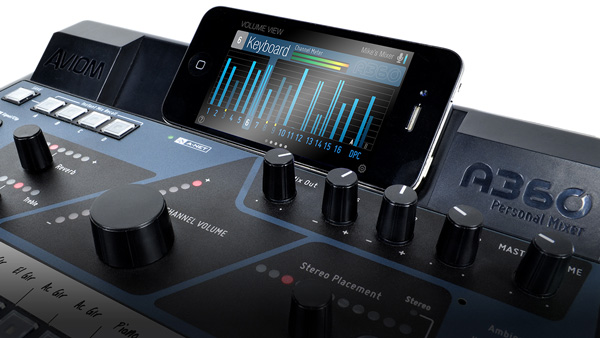
Extend the interface with iOS
The D800 and D800-Dante manage communication between A360 Personal Mixers and supported iOS devices, allowing users to run the A360 Display™ app alongside their A360.
Learn More
The Aviom Blog contains additional information about Aviom products and system setup. Get more detail on Network Mix Back setup, Expanding a Personal Mixing System, the D800 front-panel switches and more.
Technical Specifications
| A-Net to/from Personal Mixers (front panel) | Eight locking RJ45 connectors, powered; Compatible with A-16II, A320, and A360 Personal Mixers; 2-position switch (I/II) accommodates A-16II and A320 (I) and the bidirectional A360 Personal Mixer (II) |
|---|---|
| A-Net In or A-Net Bridge In |
Accepts Pro16 or Pro16e A-Net; one locking RJ45 connector |
| A-Net Out (rear panel) | Pro16e A-Net; one locking RJ45 connector, unpowered Supports system expansion and the A-16II, A320, and A360 Personal Mixers |
| A-Net Mixes Out | Pro16e A-Net; One locking RJ45 connector, unpowered; Provides up to 16 channels (8 stereo pairs) of Network Mix Back™ data from up to eight A360 Personal Mixers |
| Ethernet | One RJ45 connector; for iOS A360 Display support |
| LEDs | Power On (red); Sync (green) |
| USB | Used for firmware updates |
| A-Net Cables | Front Panel Connections: Shielded Cat-5e (or better) cable must be used to stay below the CISPR 22 Class B, ICES-003, and FCC 47 CFR Part 15 Class B emissions limits. Unshielded Cat-5e cable may be used on all rear panel connections |
| Output Voltage for Personal Mixers | 24VDC, 0.5 amp Transmitted over the Cat-5e cable |
| Power Supply | Internal, universal switching type, IEC connector |
| Input Voltage | 100-240VAC, 50-60Hz, 300W Fuse - 250VAC~ T4AL |
| Dimensions | 19" (482.6 mm) wide x 14.25" (362 mm) deep; 2U, 3.5" (88.9 mm) high |
| Weight | 12.0 lbs (5.44 kg) |
Dante Specifications
| Dante Primary I/O | Locking RJ45 connector |
|---|---|
| Dante Secondary I/O | Locking RJ45 connector |
| Stereo Link | Four DIP Switch blocks: 1-16, 17-32, 33-48, and 49-64; used to set up to 32 channel pairs as stereo links |
| Stereo Link Defeat | Bypasses DIP switch stereo link settings |
| Disable DIP switch | Chooses Dante (down) or A-Net In (up) as the input source for the D800-Dante |
| ID1, ID2 DIP Switch | Reserved |
| A, B, C, D DIP switch | Reserved |
| LEDs (rear panel) | Error (red); Sync (green); 1GB Active (red); Network Activity (green) |
| Supported Dante Sample Rates | 44.1, 48kHz - 64 channels 88.2, 96kHz - 32 channels 176.4, 192kHz - 16 channels |
| Static IP support | Yes |
| AES67 Support | Yes |
D800 & D800-Dante

A360 Personal Mixer
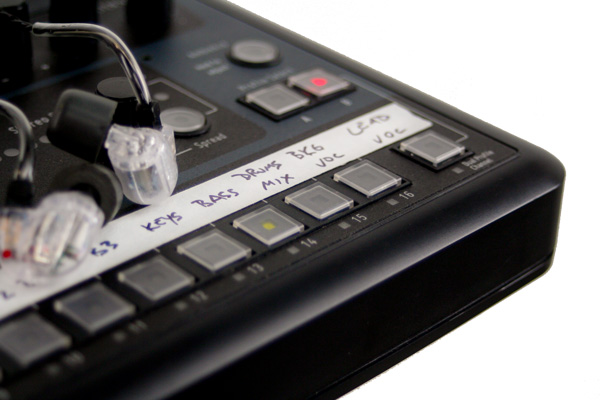
Mixing power made for musicians
The A360 gives musicians a powerful combination of power and simplicity. Even the most demanding musicians can get the mixes they want, with rich sound and outstanding clarity. And it's all in a package that's easy to use, even while you're focused on singing or playing.
Choose the channels you want to mix
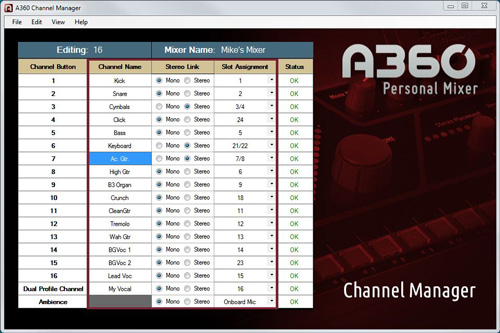
Under the hood, the A360 has a mix engine with loads of power, so you don't have to make compromises in your mix. Every user can select exactly the sources they want to mix—from up to 64 of them—so drummers can have lots of drum channels and the vocalists can have lots of vocal channels. The free A360 Channel Manager makes it easy to create custom channel maps. Read our Using A360 Channel Manager blog post for more info.
Hear each source more clearly
Each A360 mix channel can host a mono or stereo source and may be adjusted for volume, stereo placement, tone, and reverb. With more control over each channel, you get a better sounding mix fast.
Stereo fidelity in every channel
Each mix channel on the A360 can be either stereo or mono—which means you don't have to give up the fidelity of your stereo keyboards, guitar effects, or submixes in order to save channel space on your personal mixer.
Every audio source can be heard in full stereo fidelity without taking up additional space on the mixer. This both ensures that every channel sounds its best, improving the fidelity of the overall mix as well, and frees up space for more mix content—without adding more complexity for the musician.
Get to your favorite channel—or settings—faster
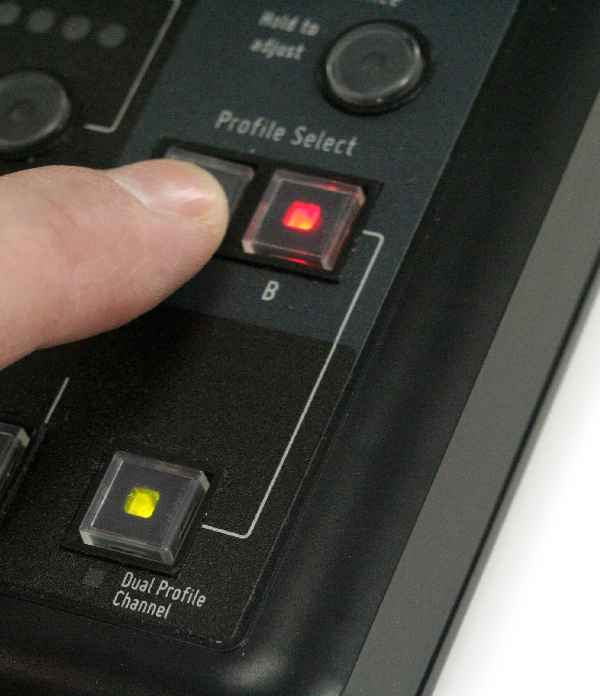
The A360's Dual Profile Channel reserves prime real estate for each musician's favorite or most important channel, so you don't have to spend even a beat looking for it.
As a bonus, the Dual Profile Channel also offers two sets of mix settings for that channel, instantly accessible through the A or B profile select buttons. In a single touch, you can make your channel louder, brighter, and wetter.
Explore the Dual Profile Channel in depth:
An Introduction to the Dual Profile Channel
Exploring the A360 Dual Profile Channel
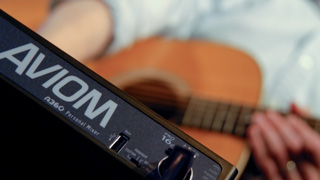
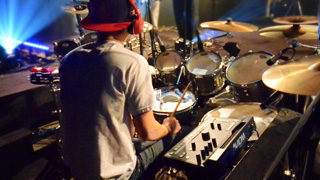
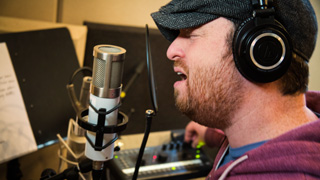
Get more out of your in-ears
The reality for many musicians is that the switch from a wedge to in-ears can be disappointing. The A360 can change all that. Designed from top to bottom with in-ear monitors in mind, the A360 gives musicians the controls they need to make their in-ears sound better than ever.
Make in-ear monitors sound rich and full
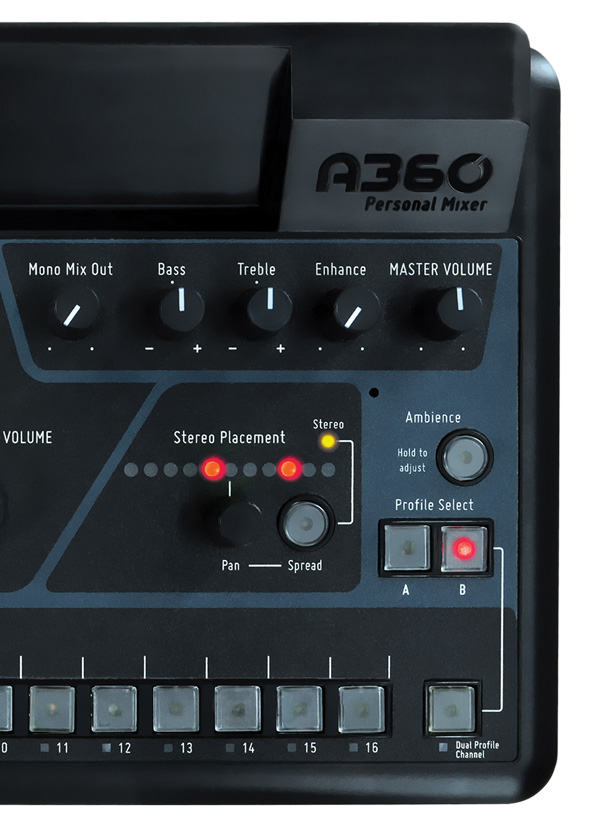
The EQ curves for the master tone controls on the A360 were designed specifically for the sonic characteristics of in-ear monitors. The A360's master Bass, Treble, and Enhance™ tone controls will make your in-ear monitors sound fantastic no matter what kind of music you play.
Add space to your ears
The A360's per-channel reverb control lets you easily restore some of the spaciousness your ears naturally expect. This feature, combined with the A360's powerful Stereo Placement™ controls, gives in-ear monitor users a whole new monitoring experience.
With high-resolution panning for mono channels and the independent pan and spread control for stereo channels, every source can be positioned precisely in the mix's stereo field, reducing musicians' sense of isolation and improving the clarity of the entire mix.
Reconnect with your audience
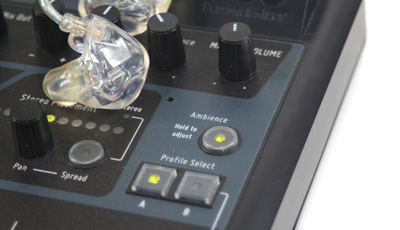
One-Touch Ambience is an easy way to add ambience to your mix when you want it. Use the built-in ambience mic or set up room mics and assign those channels to the One-Touch Ambience controls on your A360 with the free A360 Channel Manager software. Either way, because the A360 mix engine reserves space for ambience audio, you don't have to sacrifice any other mix sources to add ambience.
Feel your in-ear mix
The A360's Mono Mix Out has a dedicated volume control and XLR connector. You can use it for a powered wedge, but it's even better for adding a tactile transducer (bass shaker). Musicians can once again experience the tactile feedback they may be used to when using a floor wedge or speaker cabinet while still enjoying the clarity and convenience of in-ear monitors. And Aviom makes it easy with the BOOM-1 Tactile Transducer Processor.
Simplify connections to wireless in-ears
In systems that include a D800 or D800-Dante A-Net Distributor, Network Mix Back can be used to eliminate analog connections from the A360 to transmitter units for wireless in-ears.
Extend the interface with iOS
A360 Display is an iOS® app that augments the hardware interface with multi-channel views that show each channel in the context of the mix as a whole.
Take your mix with you
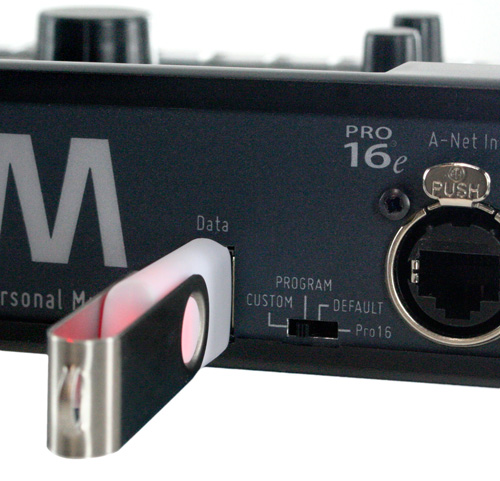
Save everything about your mixer—mix settings, channel assignments, names—to a USB thumb drive for safekeeping or transferring to another unit. It's never been easier for multiple ensembles to share personal mixers or for those on tour to be sure their mix settings are preserved from show to show, even if you're using rental gear.
How it works
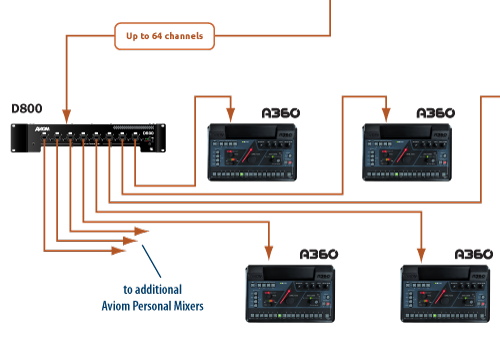
Audio is taken from your existing console and distributed to the personal mixers using standard Cat-5e cables. Set-up and configuration is all plug-and-play easy, and you don't need to worry about managed network switches, IP addresses, or latency accumulation.
In Depth
• Choosing Channels for Your Personal Mixing System
• Adding Ambience to Your In-Ear Mix - Part 1 - Part 2
• Mapping Stereo Links
• Expanding beyond 16 inputs - a four-part series
Compatibility
The A360 Personal Mixer is forward and backward compatible with most Aviom Pro16 and Pro16e devices. This includes:
- AN-16/i Input Module
- AN-16/i v.2 Input Module
- AN-16/i -M Mic Input Module
- Y1 Card for Yamaha MY devices
- Console cards from Aviom's development partners
- A-16D A-Net Distributor
- A-16D Pro A-Net Distributor
- D400 & D400-Dante A-Net Distributors
- D800 & D800-Dante A-Net Distributors
The A360 may also be used in the same system with the A320 and
legacy A-16II Personal Mixers.
Technical Specifications
| Audio Output | 1/4" TRS stereo, headphone or line level; 1/8" TRS stereo, headphone or line level; XLR balanced mono, line level |
|---|---|
| Stereo Mix Outputs, Headphone/Line | Tip: Audio Left; Ring: Audio Right; Sleeve: Ground |
| Mono Mix Output | Pin 2: Hot, Pin 3: Cold; Pin 1: Ground |
| A-Net | 1 A-Net In, EtherCon RJ45 connector; Supports Pro16 and Pro16e Supports Power Over A-Net |
| Digital to Analog Conversion & Bit Depth | 44.1/48kHz, 24-bit |
| Stereo Operation | Stereo Link, per channel pair; Set at the input module; Variable pan per mono channel or pan/spread per stereo channel pair |
| USB Storage | Save/load mix configuration data and mixer presets; Firmware updates Requires USB compliant mass storage device, formatted for PC |
| Headphone Output | 1.0 watt at 100 ohms (Line/Headphone output) |
| Output Impedance | 32 ohms |
| Frequency Response | 2-22kHz +0.2dB/-3dB |
| THD+N | < 0.003% |
| Signal to Noise (unweighted) | -106dB (measured with zero data into all channels) |
| Latency | <0.880 msec (measured from analog input to analog output) |
| Pro16e A-Net | Use unshielded Cat-5e UTP (or better) cable; Maximum 400 ft (122 m) between devices; |
| Power Supply Input Voltage Output Voltage Plug Size |
External, DC, universal switching type 100-240 volts, 50/60Hz 24 VDC, 0.5 amp 2 mm |
| Dimensions | 11" (279.4 mm) wide x 6.9" (175.26 mm) deep; 1.835" (46.61 mm) high |
| Weight | 3.4 lb (1.54 kg) |
| Options | MT-1a Mic Stand Mount (uses 6-32 1/4-inch screws) |
| EB-1 Extension Bracket | |
| PS-120/PS-240 Power Supply |